Ask any streamer who has tried to build a custom HUD overlay and they will describe the same process. Duplicate the game capture. Crop it. Position it. Looks great. Stream it for a week. Game updates. Overlay is broken. Spend an hour fixing it. Repeat.
This is the cloned sources problem. It is not a skill issue, it is a fundamental flaw in how OBS crop filters work, and no amount of careful positioning will make it stable long-term.
How you end up with 20 sources
The first time you want to show a stat on stream, duplicating the game capture seems like the right move. OBS makes it easy. Right click, add source, crop filter, done. Your health bar is visible in the scene.
Then you want to show resources. Another duplicate. Population. Another one. Worker count. Another. By the time your overlay is showing a handful of stats, your sources panel looks like this:
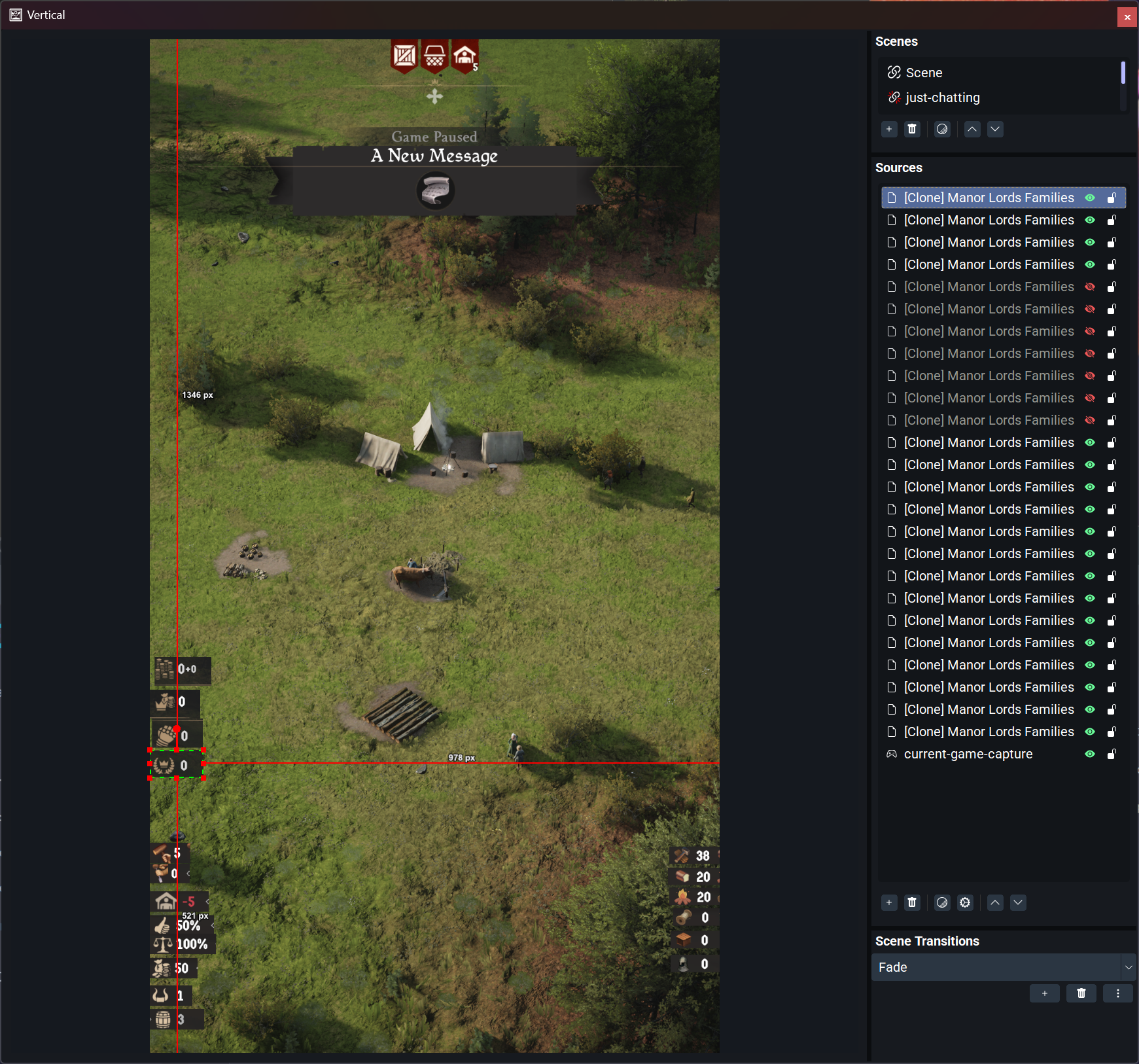
Eight entries visible and there are more above the fold. Each one is a slightly different crop of the same game capture. Hard to label clearly, easy to break, and a nightmare to audit when something goes wrong.
The three ways it breaks
Game updates
Developers move UI elements between patches. They resize panels, reposition counters, or add new information near existing stats. Any of those changes shifts the pixel coordinates your crop filter is targeting. The stat that was at X=340, Y=180 last week is now at X=360, Y=195. Small enough that you almost do not notice — until you go live.
Resolution and display scaling
Your crop filter is set in absolute pixels relative to the capture resolution. Change your resolution, adjust display scaling, or switch between windowed and fullscreen and every crop is wrong. This is especially painful if you stream at a different resolution than you play, or if the game has its own resolution setting separate from your monitor.
Dynamic menus
This is the worst one. Games change their UI depending on what you are doing, and cloned sources cannot adapt.
In Manor Lords, opening the construction menu shifts the layout of the resource panel. If your source is cropped to a fixed position, it either shows the wrong information or goes blank. The only fix is to manually toggle sources on and off in real time — while streaming, talking to chat, and trying to play the game. Most streamers reach this point and decide the overlay is not worth the maintenance.
The real problem is position dependency
The instinct when something breaks is to keep tuning. Adjust the crop. Add more specific sources. Build conditional scenes that toggle automatically. Some streamers get quite far with this approach.
But every workaround is managing the consequences of position dependency. Cloned sources do not know what health is. They just know that health was at a specific coordinate when you set them up. Every time that coordinate changes for any reason, they are wrong again. There is no amount of configuration that fixes the underlying issue.
Reading meaning instead of pixels
The permanent fix is to stop cropping regions entirely. Instead, read the actual game data from the screen — find the health bar wherever it is, identify what it represents, and serve the result.
This is what Huudy does. It uses computer vision to scan your game screen, find HUD elements by appearance rather than position, and push the values to a single browser source in OBS or Meld Studio. Health is 7 hearts. Lumber is 42. XP level is 18. Those numbers update live and the overlay shows them regardless of where the UI elements happen to be sitting.
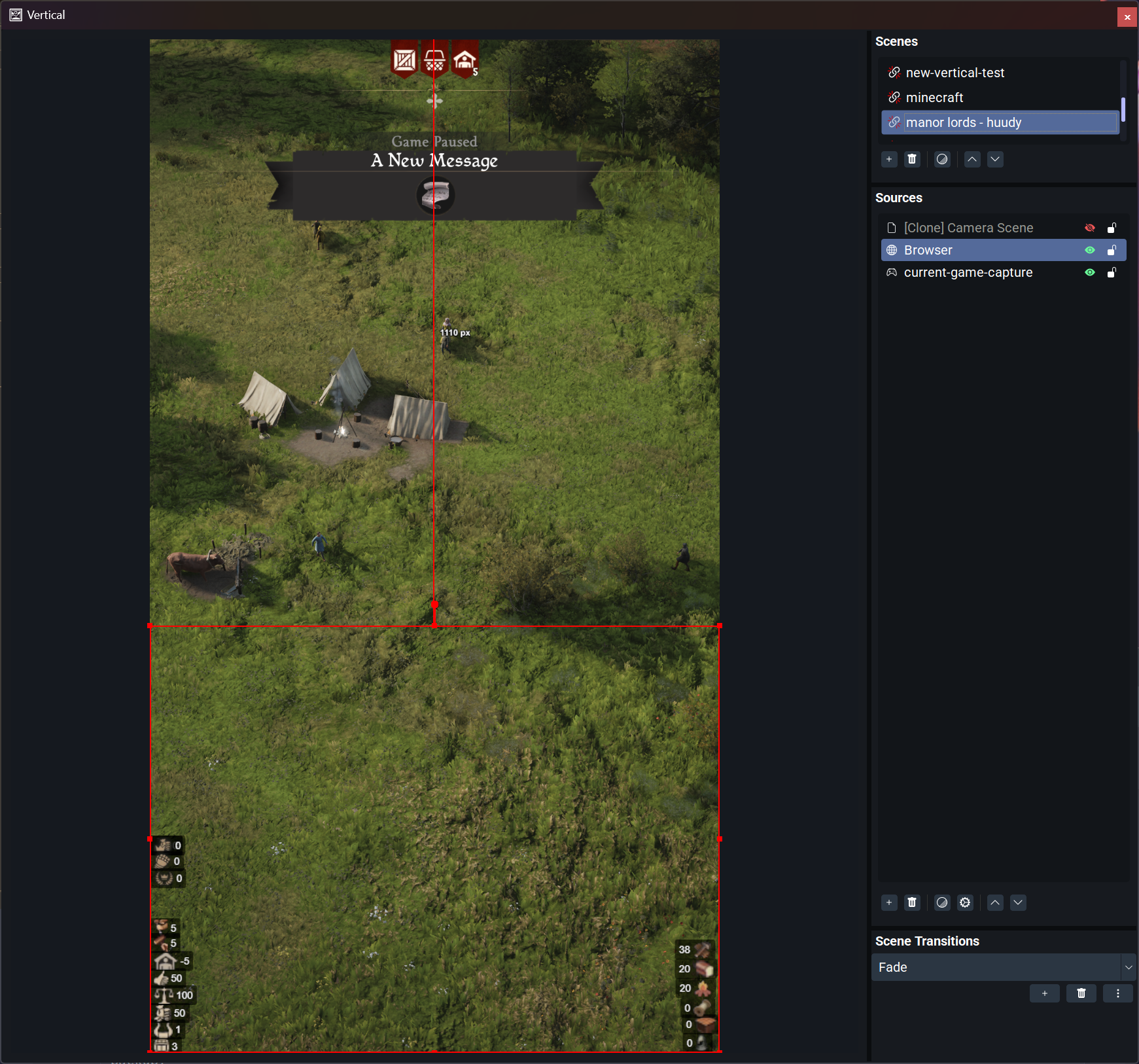
The difference in practice
| Cloned sources | Huudy | |
|---|---|---|
| Sources in OBS | 20+ | 1 |
| Breaks on game update | Yes | Rarely |
| Breaks on resolution change | Yes | No |
| Dynamic menu handling | Manual toggling | Automatic |
| Time to set up | 1–2 hours | Under 5 minutes |
| Maintenance after patches | Every patch | None |
What it actually reads
For Minecraft: health (including absorption, poisoned, withered, and frozen states), armor, hunger, satiation, experience level, and all hotbar slots as live item images.
For Manor Lords: population, worker status, and the full resource panel including lumber, food, tools, construction materials, and more.
Getting started
The Huudy app is free to download at huudy.app. The free tier runs with a small watermark and shows the first stat category — enough to verify it works before spending anything.
Plugins are a one-time purchase. Minecraft is $8. Manor Lords is $5. No subscription.
If you have been living with the cloned sources problem, it is worth ten minutes to see what the alternative actually looks like.